Designing AI-Assisted Documentary Credit Checking for Trade Finance
- Defined the interaction model for AI checks and human review
- Established patterns for field-level and document-level checks
- Designed the exception review and resolution workflow
- Shaped how AI confidence is communicated to reviewers
- Product Manager
- AI/ML Engineering Team
- Frontend Engineers
- Trade Finance Domain Experts
Overview
Documentary credits (DCs) are one of the most document-intensive instruments in trade finance. Each transaction requires multiple documents to be checked against both the credit terms and UCP 600 rules — traditionally a fully manual process.
At Raft, I led the design of the full trade finance product. This case study focuses on the checking experience: the interface where AI-extracted document data is validated against DC terms and UCP 600 rules, exceptions are surfaced, and human reviewers make the final determination.
The Problem
DC checking is a process where precision matters and mistakes have financial consequences.
Slow and repetitive. A single transaction can involve 10+ documents, each requiring line-by-line comparison. Most checker time goes to routine validations, not judgment calls.
Inconsistent across checkers. Without a standardized framework, the same discrepancy might be flagged by one checker and missed by another.
No audit trail. The reasoning behind each determination is often undocumented, making it difficult to review decisions or onboard new team members.
Goal
Design an AI-assisted workflow that:
- Covers the full presentation review process end to end
- Runs both DC checks and UCP 600 checks per document
- Supports both field-level and document-level checks
- Preserves expert control over every final determination
Outcome
- Significantly faster checking with consistent rule application
- Every determination documented with full audit trail
- Adopted by both operations teams and senior specialists
Gathering Context
I spent time with trade operations teams and senior specialists to map the full checking workflow before designing any automation. The journey below captures the end-to-end process from document receipt through to presentation summary — this became the foundation for every design decision.
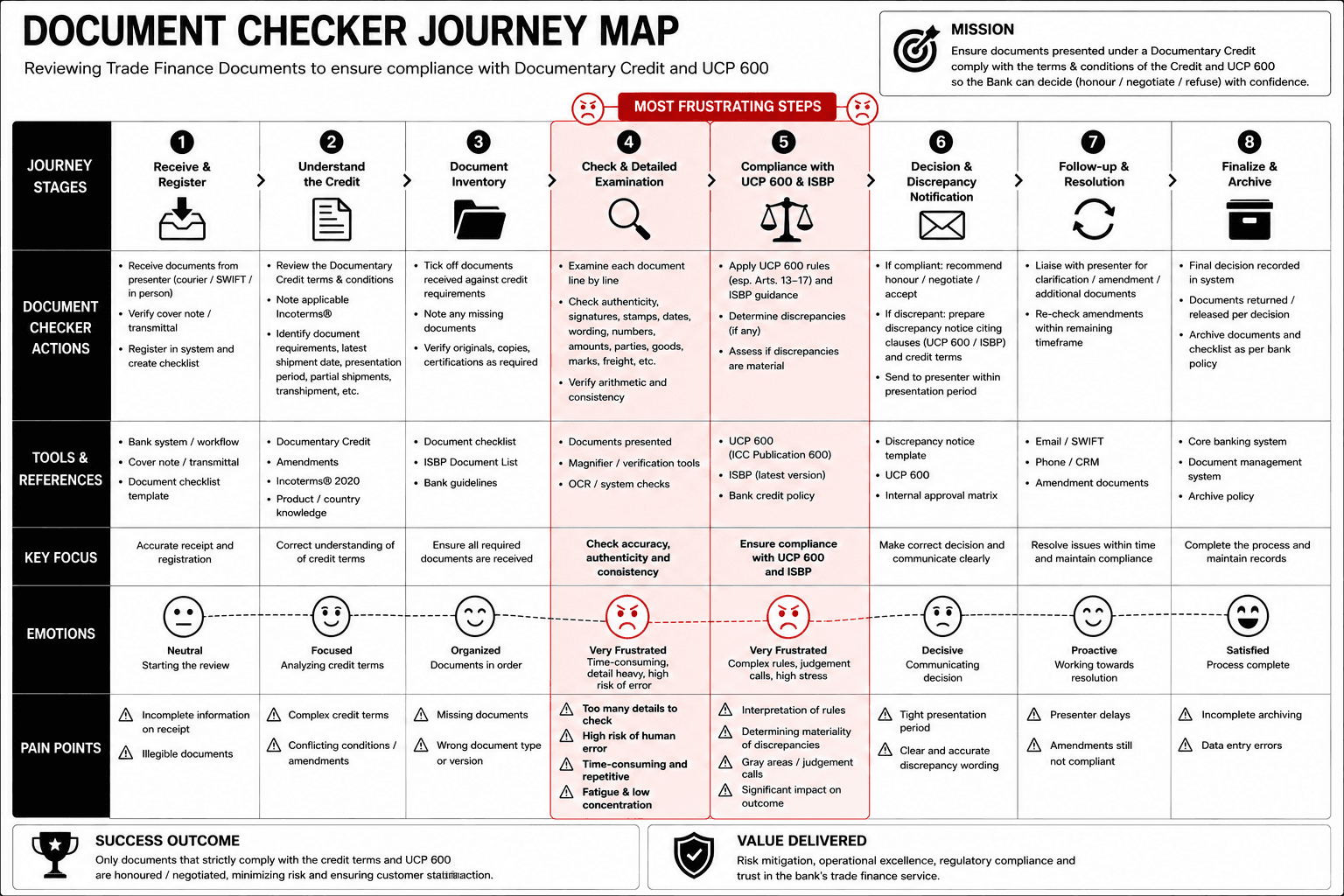
How checkers work today
Checkers mentally split their work into straightforward comparisons (does this field match?) and interpretive assessments (does this document comply with the spirit of the requirement?).
Most time is spent confirming correctness, not finding discrepancies. The majority of checks pass, but each still requires reading and verification.
Flagging an exception often depends on context beyond any single field — prior correspondence, common trade practices, or bank-specific policies.
Two types of checks
Documents are validated against two distinct rule sets. Their differences shaped every design decision in the checking interface.
DC Checks
UCP 600 Checks
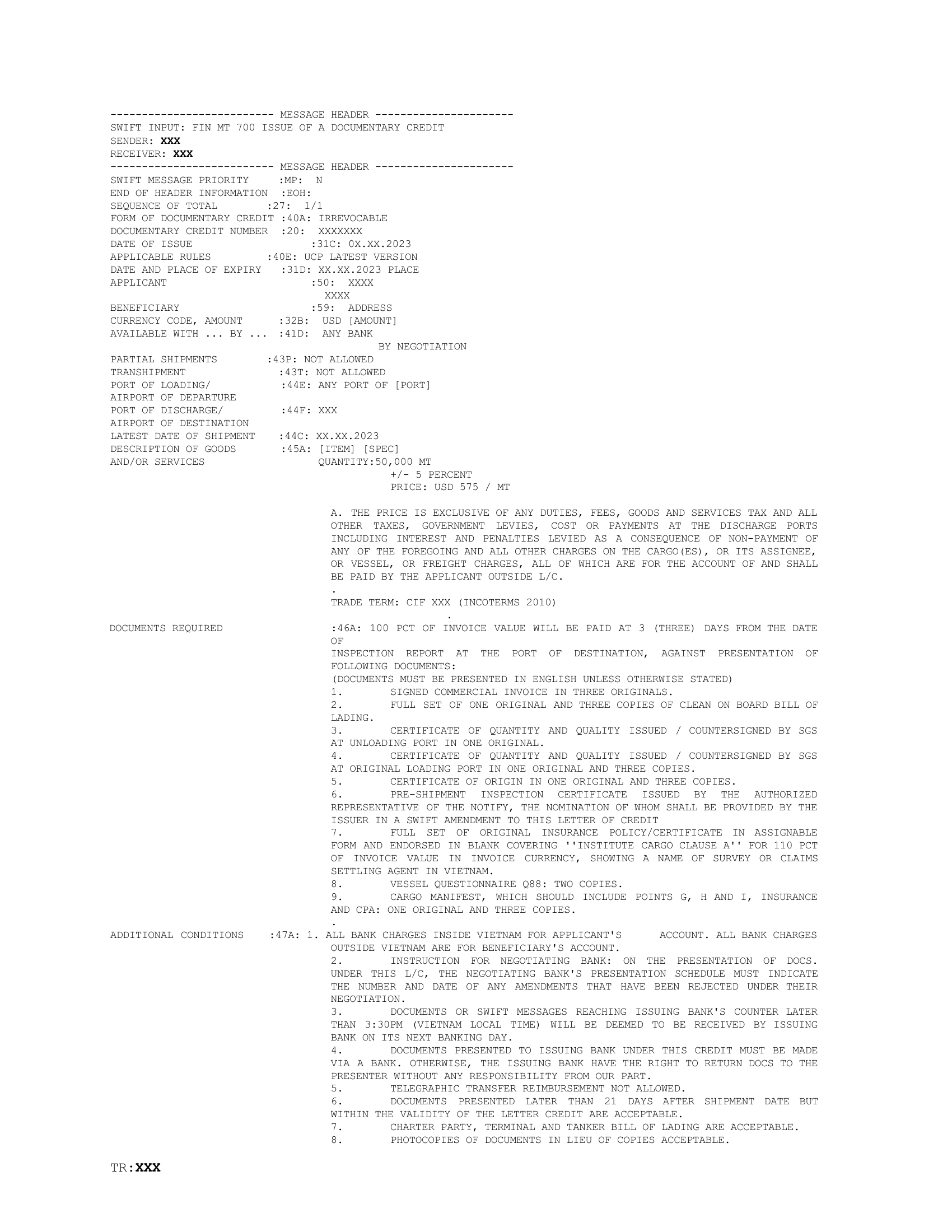
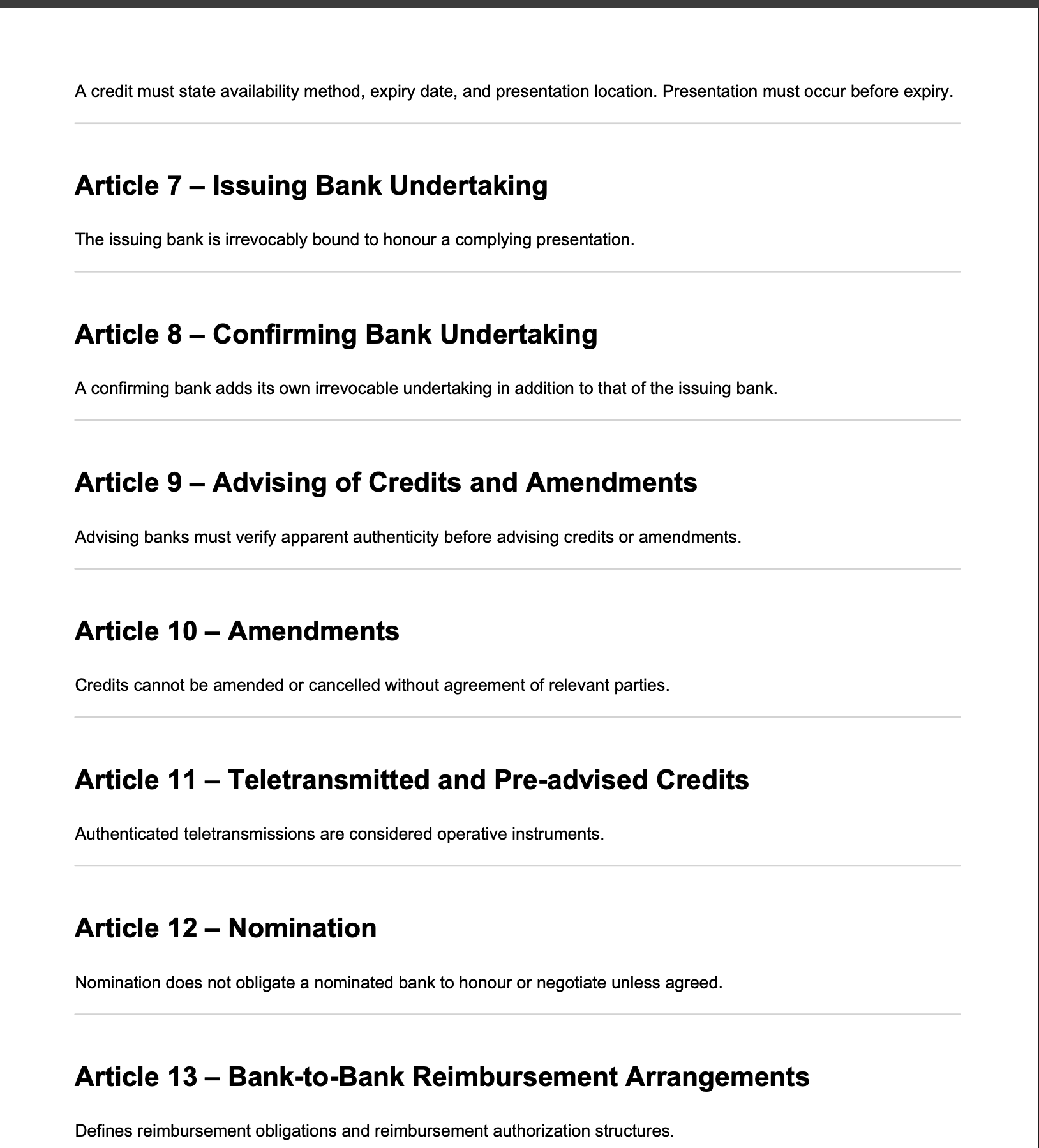
Field-level checks have clear inputs and deterministic outcomes — invoice amount vs credit amount, shipment date vs latest date. Document-level checks require evaluating passages of text against requirements and carry more ambiguity.
This distinction drove two different interaction patterns: field-level checks could be presented with high confidence and minimal context, while document-level checks needed to surface reasoning and source text for the reviewer.
"I know within seconds if a number is wrong. What takes time is reading a clause and deciding if it actually satisfies the requirement."
Solution
Defining the check model with ML
I worked with the ML engineering team to define what a "check" is in the system and map the resolution flow every check follows.
Every check has a status, a source (DC or UCP 600), a type (field-level or document-level), and three possible resolution actions. Passing checks are logged automatically. Exceptions carry enough context for a confident human decision — or escalation via query agent when clarification is needed from the presenting bank.
Before checking begins
A DC may be amended multiple times before documents are presented. The AI merges original terms with all amendments into a single consolidated view. Documents are classified by type, grouped into the presentation structure, and checked for completeness.
Check results by document
The AI runs DC checks and UCP 600 checks per document. Results are organized by document, each showing check completion progress.
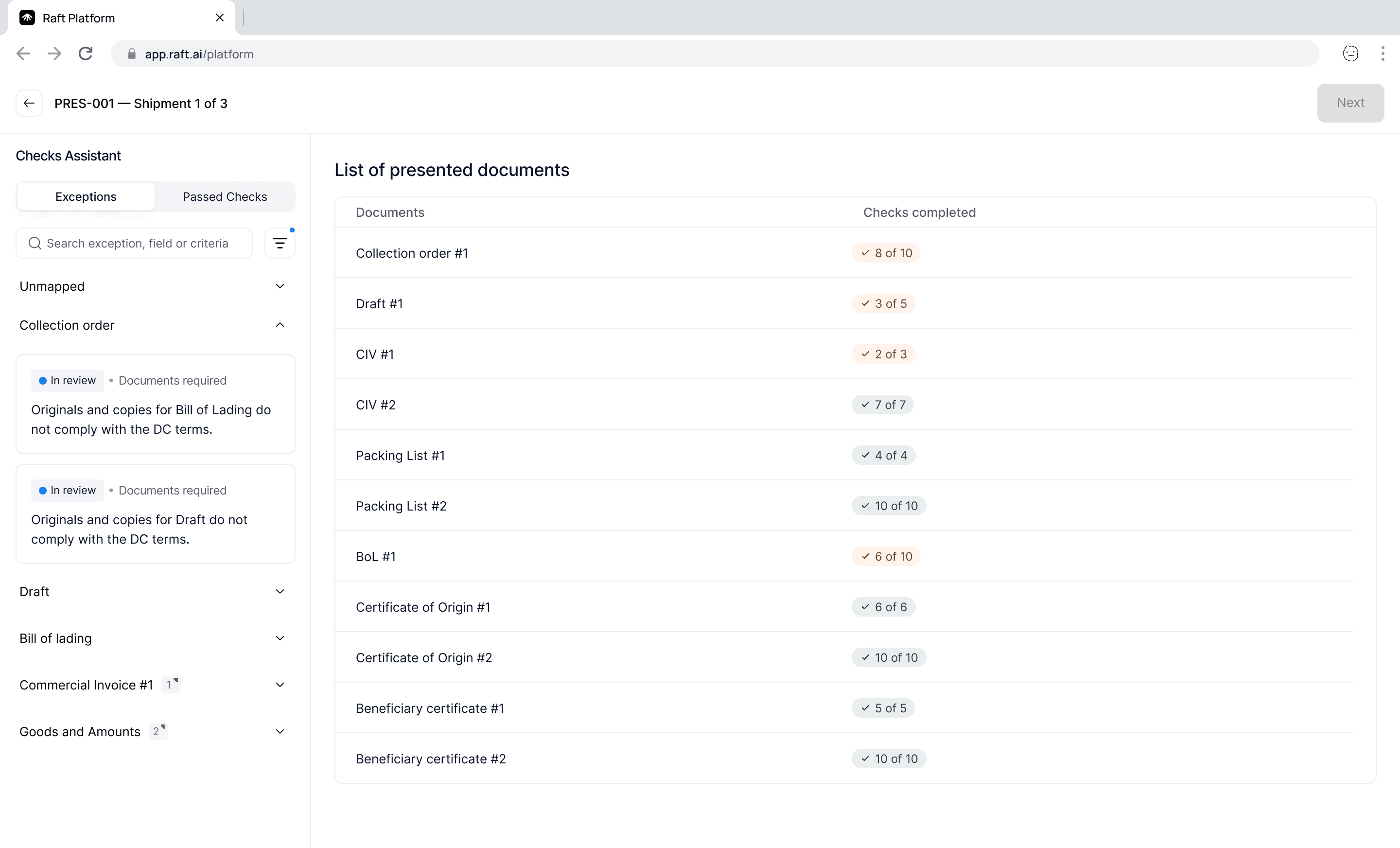
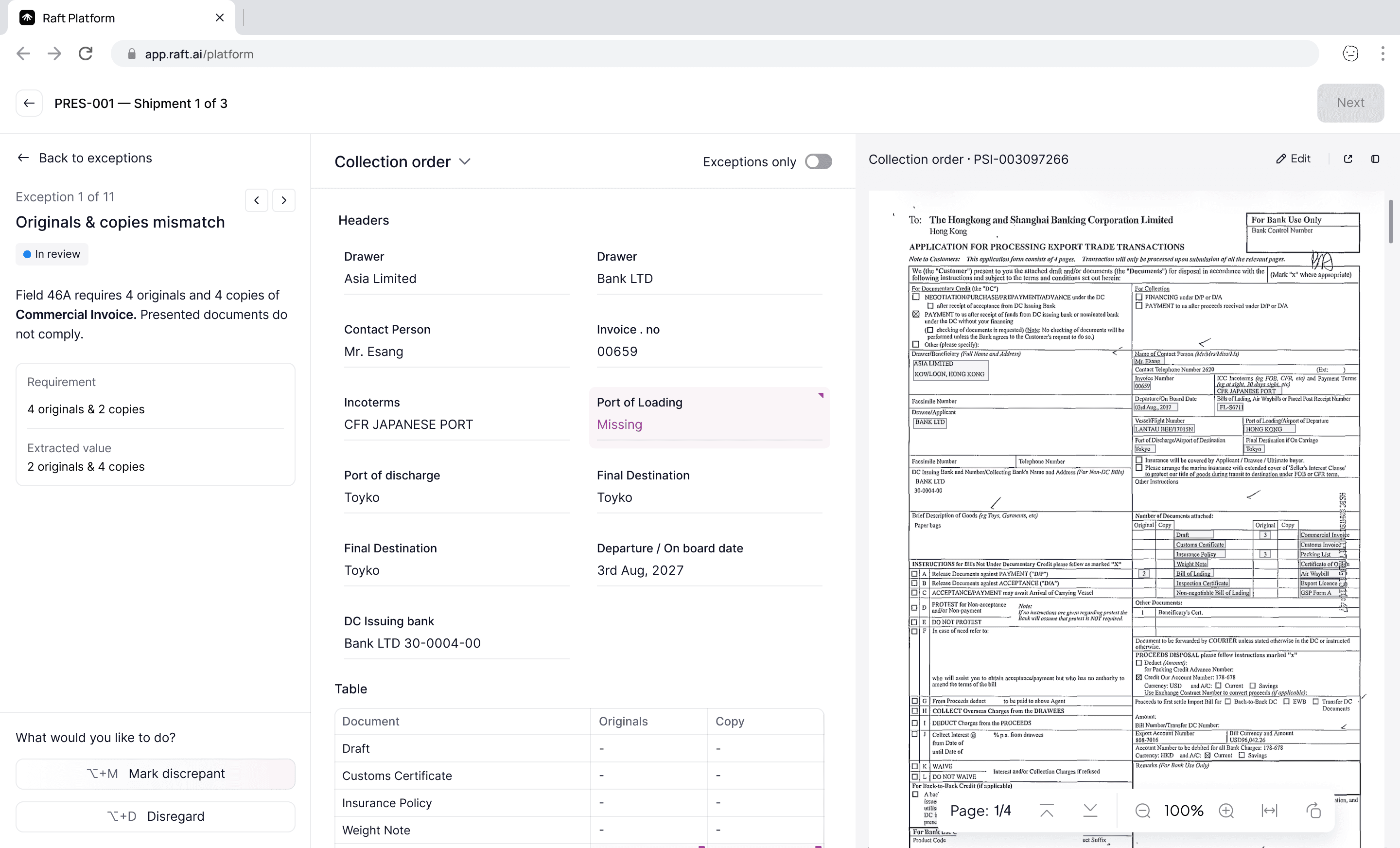
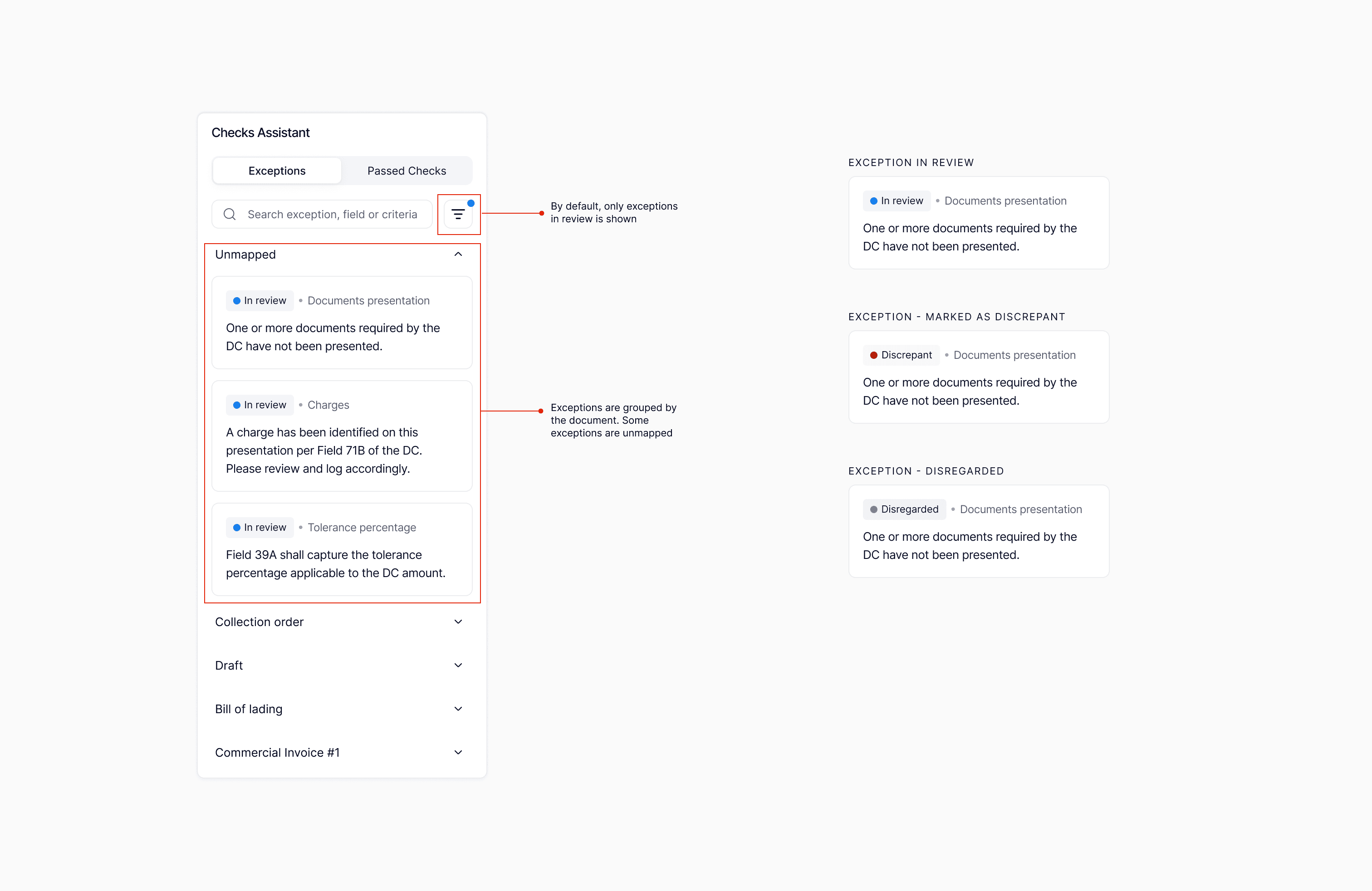
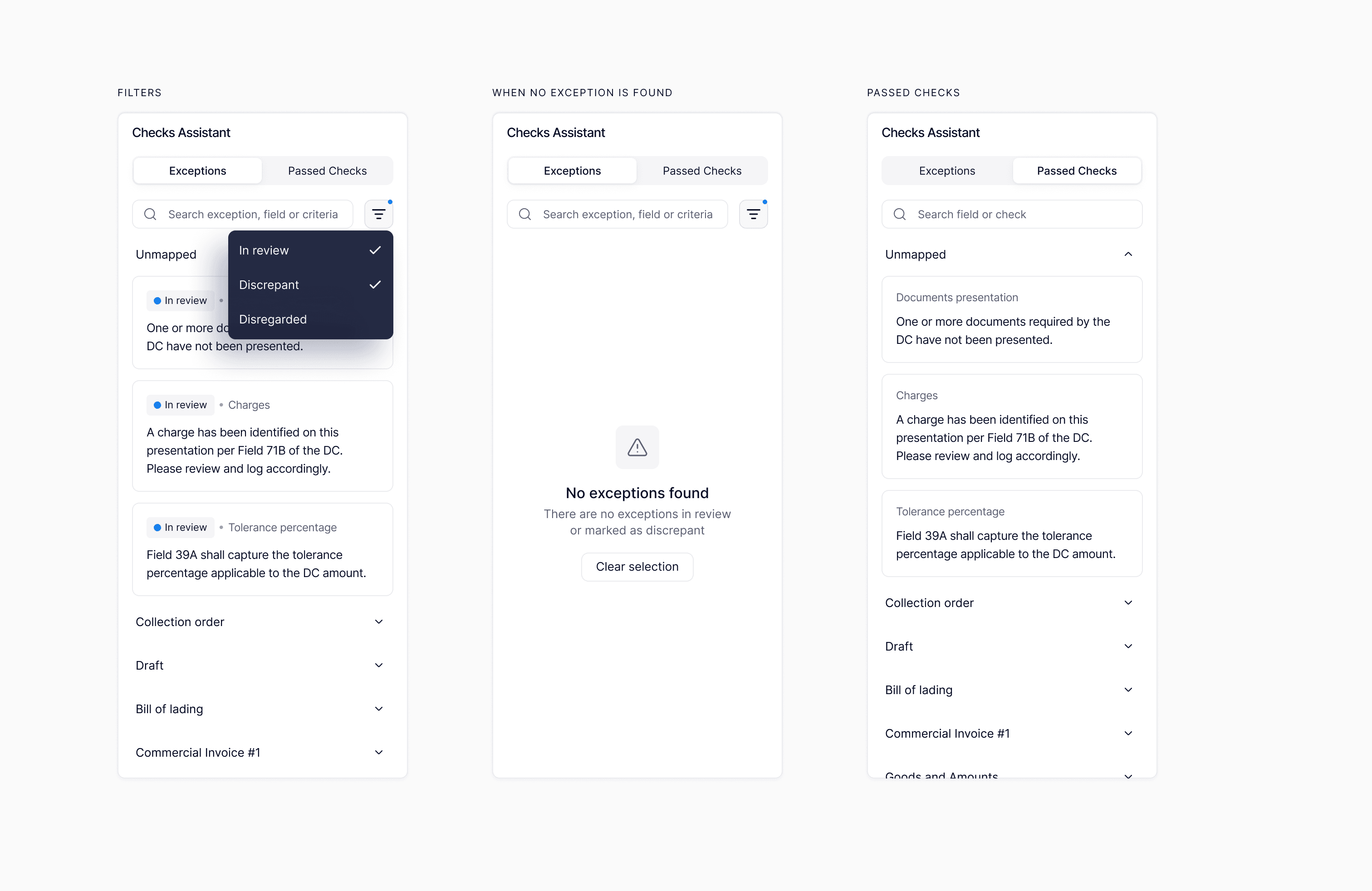
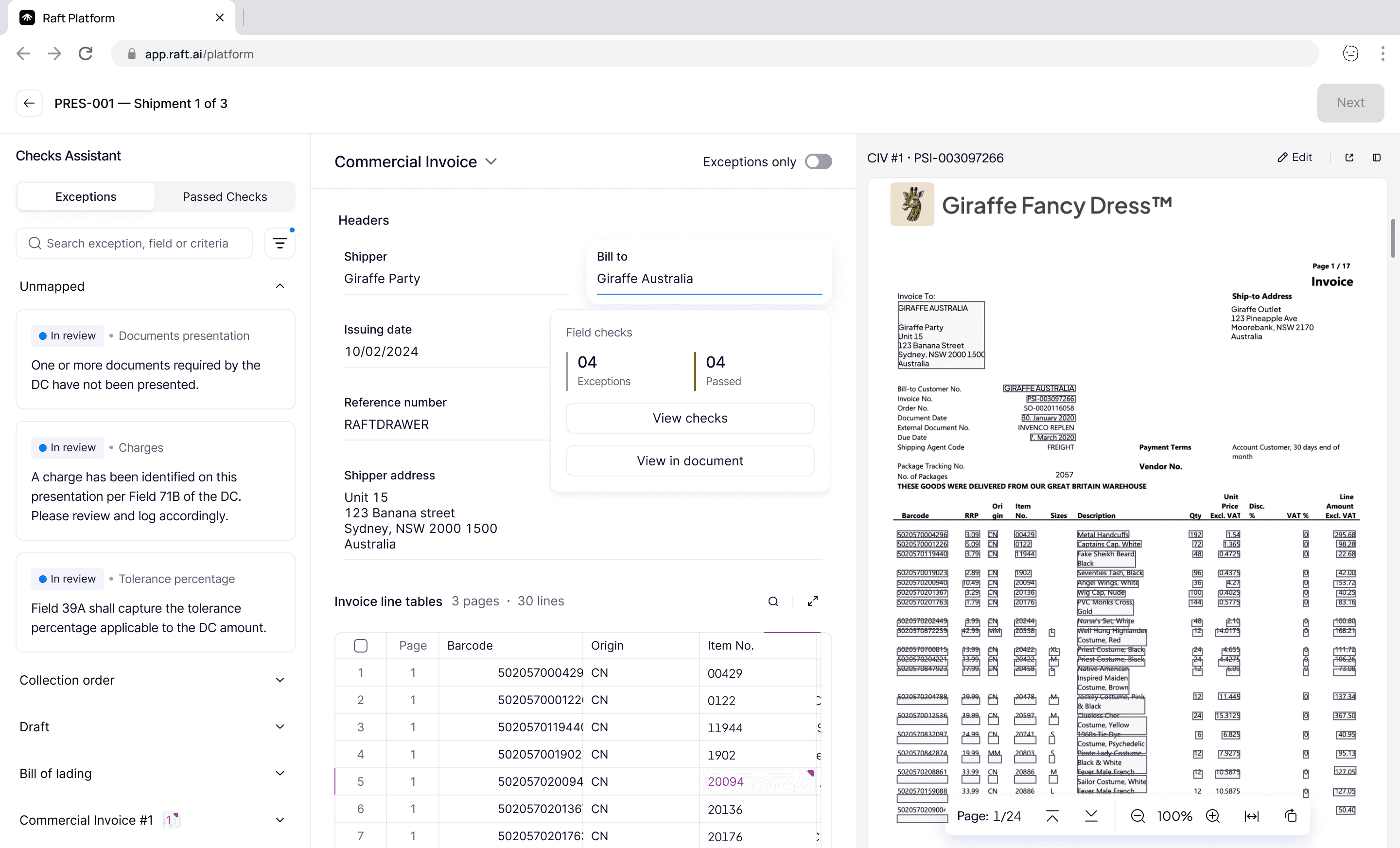
The Checks Assistant panel provides the detailed view. Exceptions are grouped by document with status, relevant rule, and finding description. Reviewers can filter by status, search by field or criteria, and switch between the Exceptions and Passed Checks tabs.
Extraction and checks
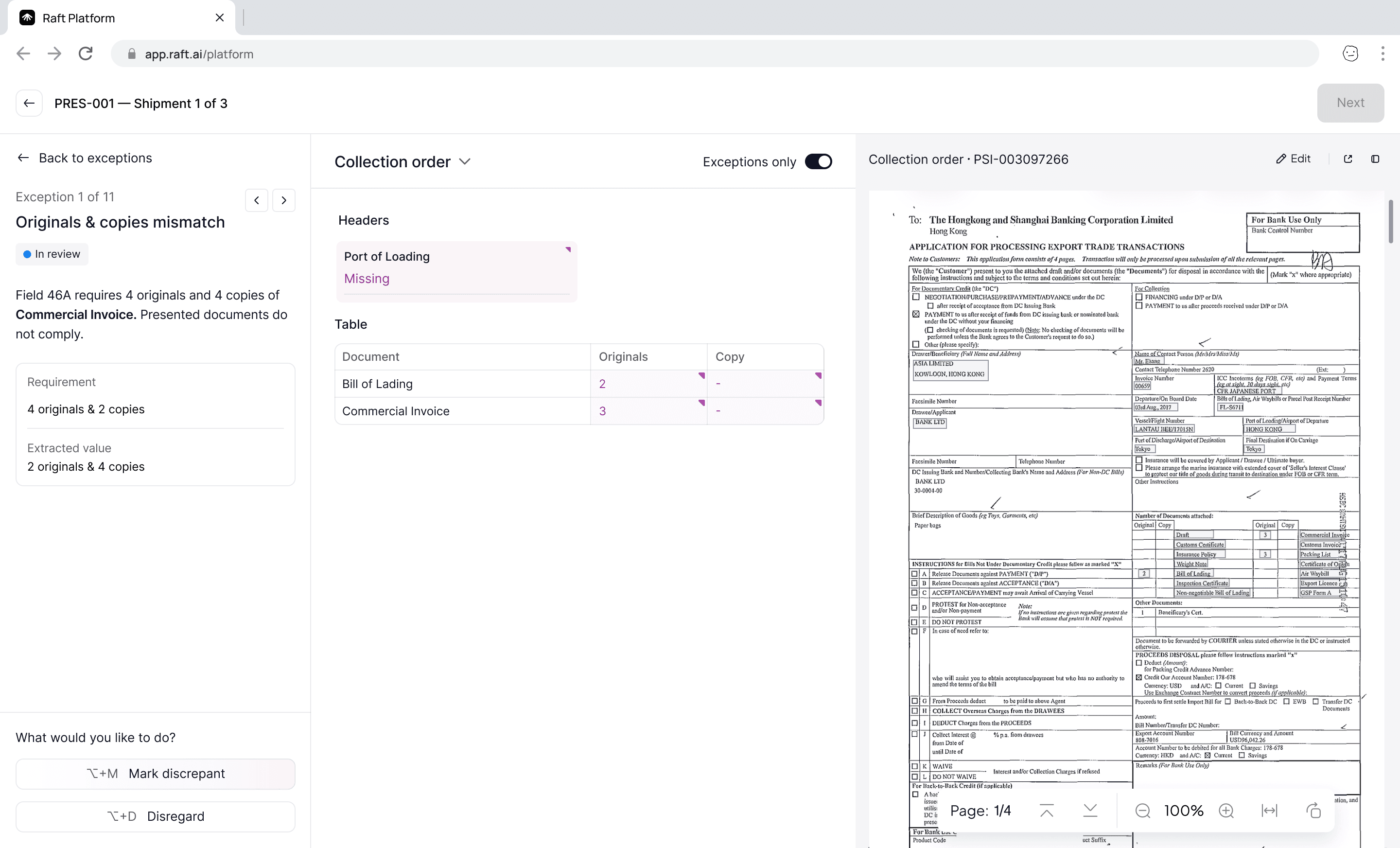
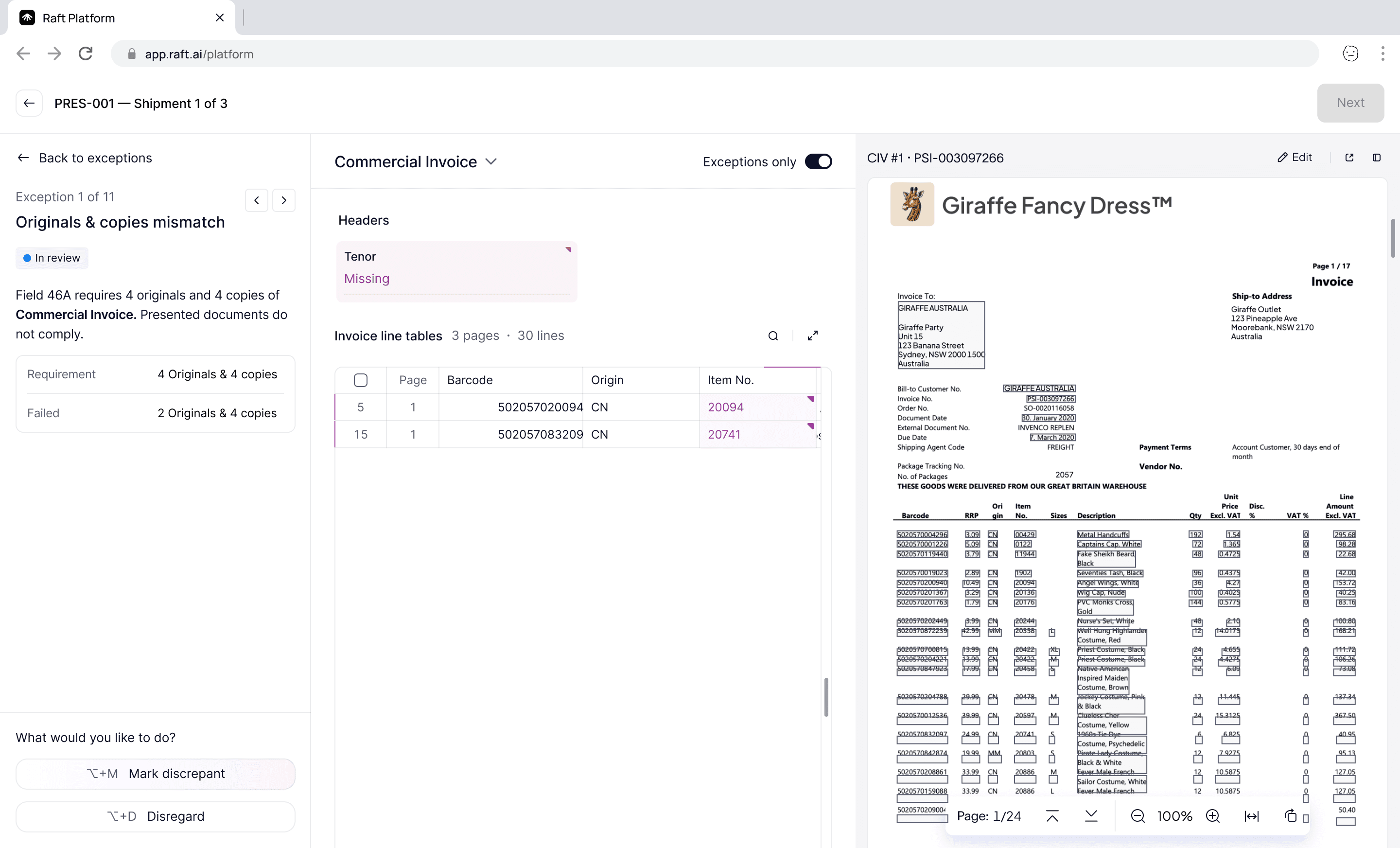
The checking interface is divided into three panels: the Checks Assistant (exception details and actions), extracted document data (structured fields with issues highlighted inline), and the document preview (original source for visual verification).
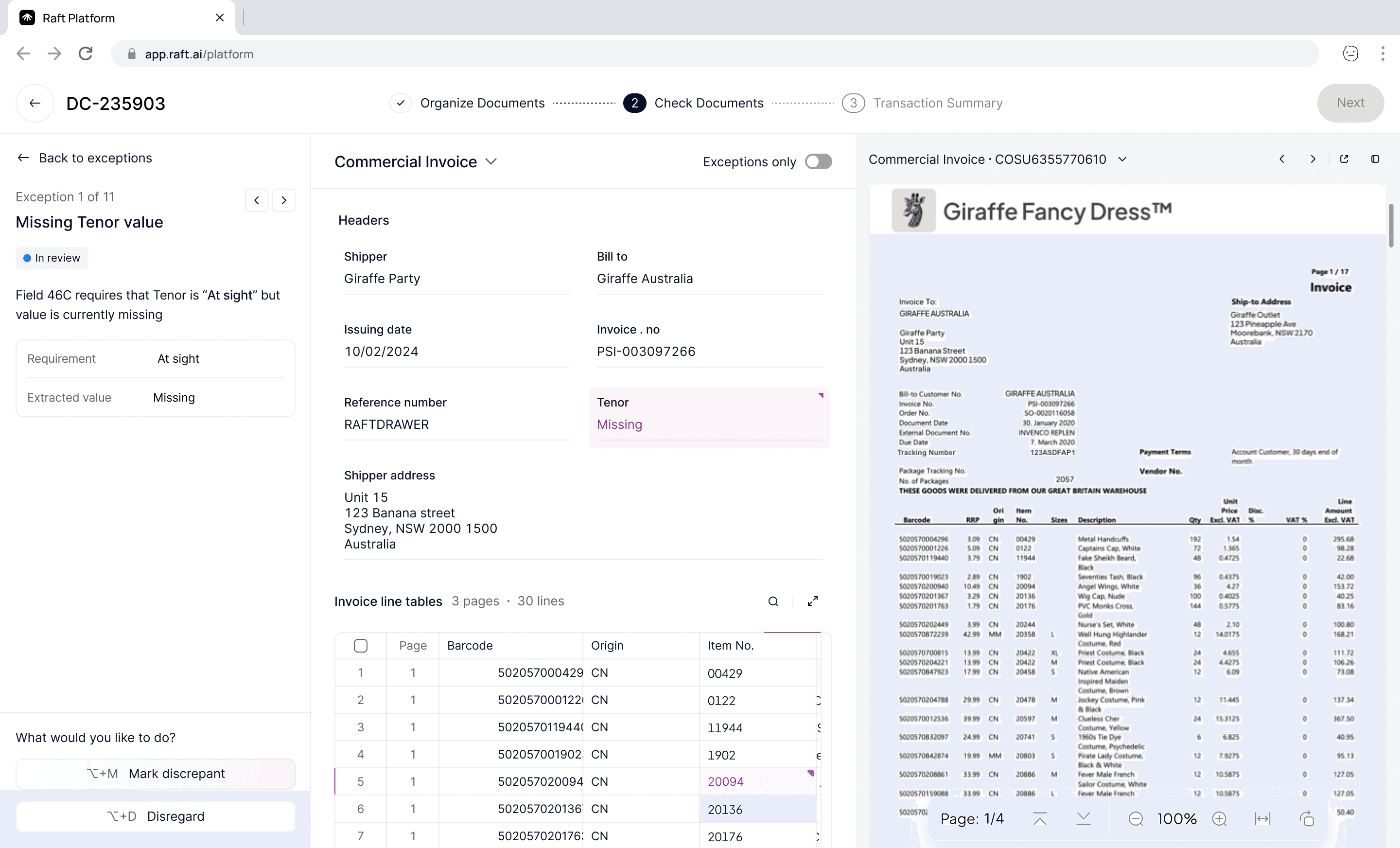
Each extracted field is interactive. Clicking any field surfaces two actions: View in document highlights the extracted value in the original source, confirming exactly where the data came from. View checks filters the Checks Assistant to only the rules evaluated against that field.
An "Exceptions only" toggle filters the extracted data to just the fields that flagged exceptions, letting the reviewer focus on what needs attention.
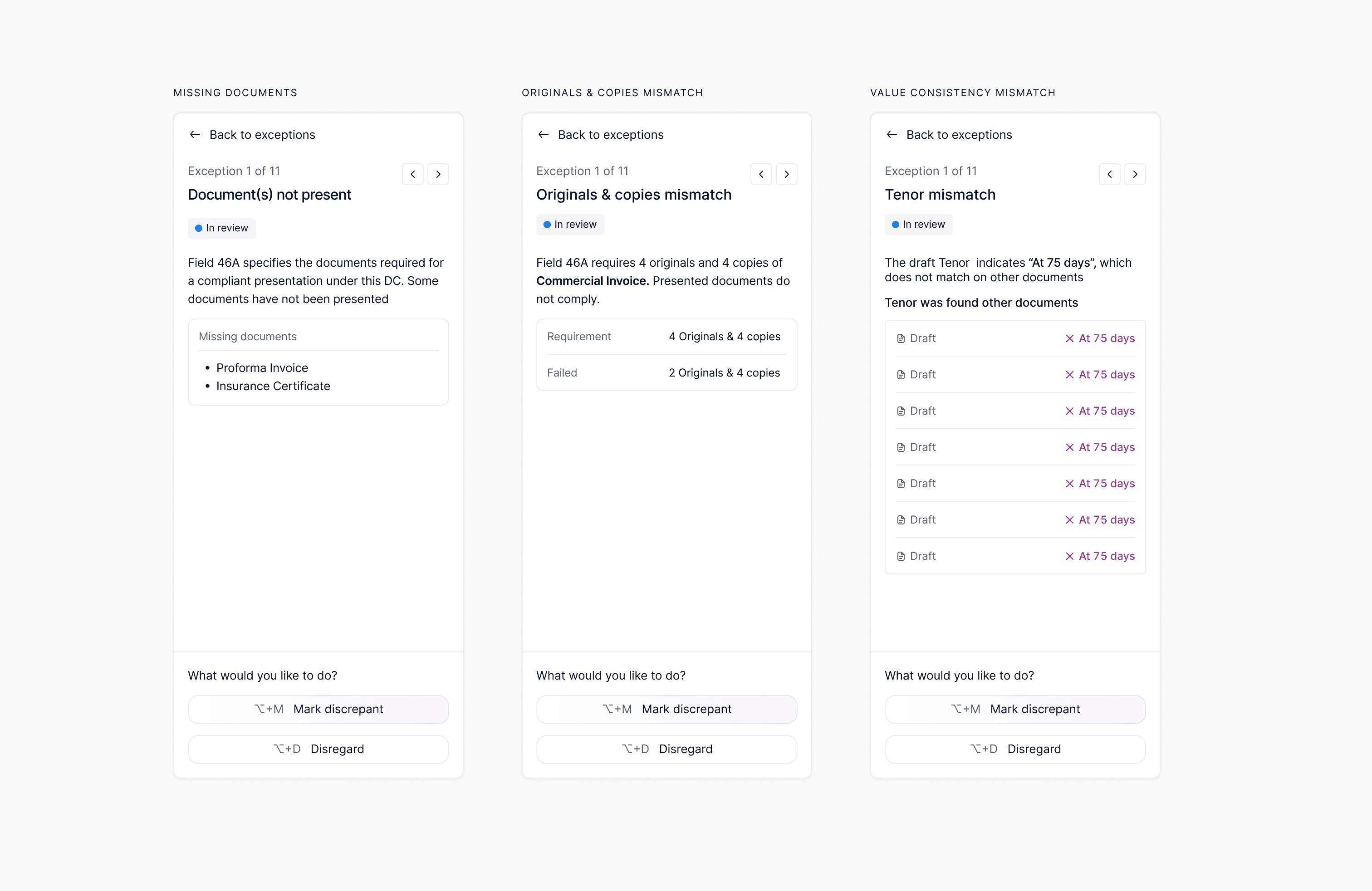
Exception types
Field-level exceptions are usually fast — extracted and expected values side by side. Document-level exceptions require more context: source text, the applicable rule, and the AI's reasoning.
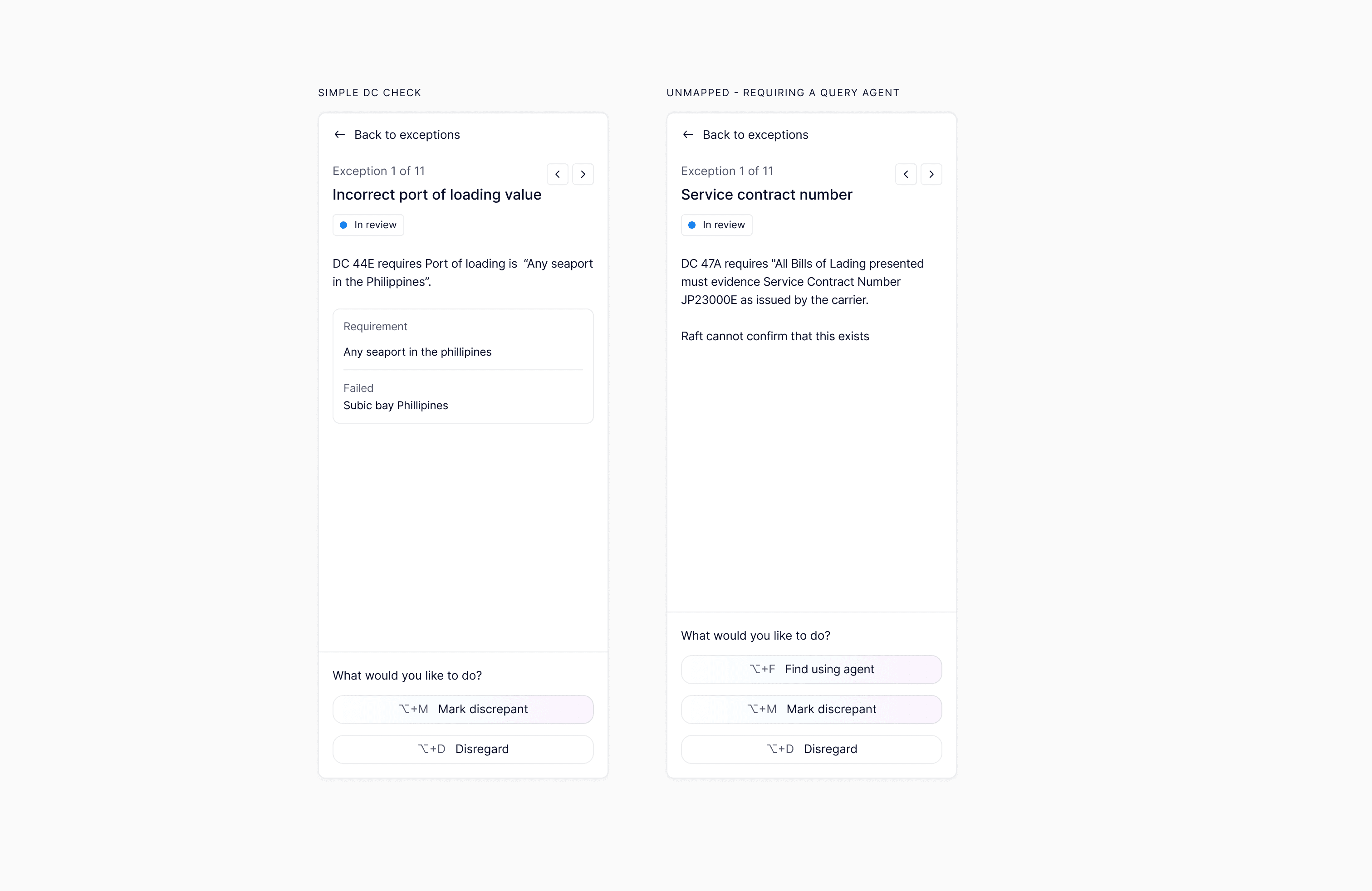
Exception review
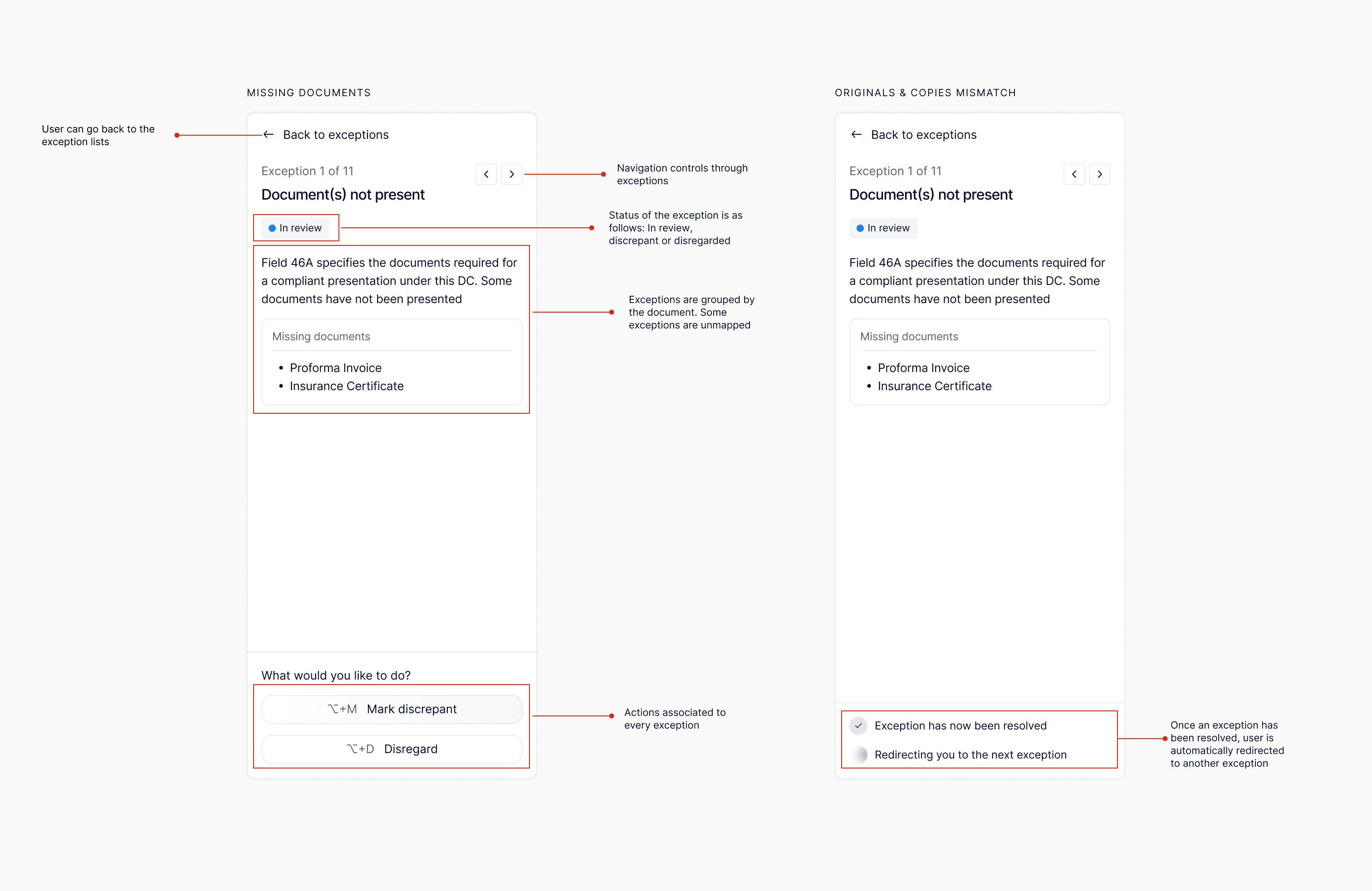
Each flagged check gives the reviewer three options: mark as discrepant (confirm the finding), disregard (override because the exception is not material or the AI's interpretation was incorrect), or escalate via query agent when the exception requires clarification from the presenting bank before a determination can be made. Both disregard rationale and query context are logged in the audit trail.
Reviewers can also correct extracted values directly when the AI misreads a field, confirming the update before re-running the associated checks.
After checking
Once all exceptions are resolved, the checker prepares the presentation summary: presentation details and determination, a discrepancy log with rationale for each finding, and an entity log cross-checking all parties. The AI pre-fills each based on completed check results, but the checker owns the final version.
Impact
- DC checking time reduced by ~65%
- Consistent application of UCP 600 rules across all checkers
- Full audit trail for every transaction and decision
- Adopted by both operations teams and senior specialists
- Reduced training time for new checkers
- Established a reusable pattern for AI-assisted review
What I Learned
Design for the seam between AI and human judgment. The hardest part was designing the moment where the AI says "I found something" and the human decides what to do. That transition needs enough context for a confident decision without overwhelming the reviewer.
Field-level and document-level are different design problems. A mismatched date and an ambiguous compliance clause require fundamentally different amounts of context and interaction patterns.
Transparency builds adoption. Showing what the AI extracted and how it reached its conclusions convinced experienced trade finance professionals to trust the system. Experts don't accept a black box.